
Trace the Route of the Packet on the Network
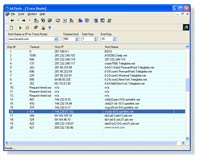
The AATools Trace Route shows you the path a packet sent from your machine to another machine on the network takes as it hops from router to router. It also shows you the IP address (and usually the name) of each router, line-by-line.
The AATools Trace Route diagnostic utility determines the route taken to a destination by sending Internet Control Message Protocol (ICMP) echo packets with varying IP Time-To-Live (TTL) values to the destination. This little tool can be used to determine where a packet stopped on the network. It is useful for troubleshooting large networks where several paths can be taken to arrive at the same point, or where many intermediate systems (routers or bridges) are involved. |
The way it works is best illustrated with a step-by-step walk-through:
When one computer has some information to send (a web page, perhaps), it puts it in a packet (or multiple packets), and sets the TTL (Time-To-Live is simply a number specifying how many "hops" the packet is allowed to take during its journey across the Internet) to some initial value (typically 30). The computer then sends the packet to a router (Router A) which is directly connected, whether it be by Ethernet, PPP (dialup), or some other form of network. Router A would be called the "default gateway" for that computer.
Generally, all routers will be connected in some form to one or more OTHER routers. Router A will examine the packet to determine the destination IP address and will, based on that address, choose one of these other routers which will get the packet closer to the destination. This new router (Router B) is referred to as the "Next Hop". There are many ways that the router might be able to choose the most appropriate Next Hop intelligently, but a discussion of "routing protocols" is beyond the scope of this article. At any rate, Router A will then decrement the TTL by one, and forward the packet to the new router, Router B.
This process of "hopping" repeats indefinitely, with Router B choosing a new Next Hop, decrementing the TTL, and forwarding the packet, etc. until one of two things happens:
1) the packet reaches its destination, or
2) the TTL decrements to zero, or "times out." It's this last bit that allows Trace Route to do its magic.
Important: the path BACK from the remote machine to you is not necessarily THE SAME! This situation is called asymmetric routing, and is usually not an issue. In cases where it happens though, it can make troubleshooting much more difficult, because some problem may exist on the reverse path (preventing data from getting back to you) which Trace Route cannot show you.