







GlockApps Email Marketing Bundle:
GlockApps EasyMail7, Email Verifier & GlockApps Email Processor for Windows
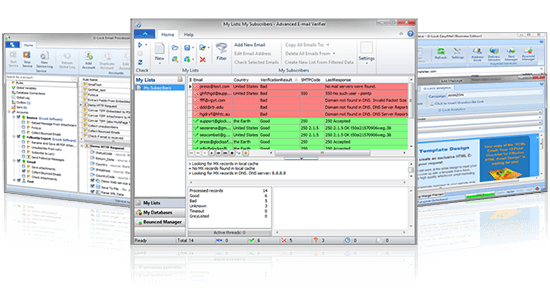
G-Lock Software delivers you powerful and PROFESSIONAL yet easy-to-use software that suits perfectly for targeted bulk email marketing campaigns, email list management and e-mail processing at your desktop. G-Lock Email Marketing Bundle combines an unrivaled feature set with world-class support and virtually infinite flexibility, at a fraction of the price charged for competitive programs.
G-Lock Software Backlink Diver

Backlink Diver is powerful SEO software that includes Backlink Verifier, PageRank Checker and Backlinks Index Checker. It helps you control SEO quality of pages linking to your website and shows you anchor text analysis of your linking profile after each link building campaign.
- checks if the link to your website exists on a particular page using either domains or keywords;
- determines the link type (DoFollow, NoFollow, Mixed);
- determines the PageRank of the page where the link is present and the PageRank of the domain of the linking page;
- detects if the page linking to your website is indexed or not;
- shows the anchor text analysis for each list and project;
- exports verified URLs to an Excel file;
G-Lock SpamCombat v3

G-Lock SpamCombat – helps fight spam and delete unwanted emails, before landing in your inbox. This is a 100% FREE self learning system that 'automatically' detects spam with great precision and accuracy, adapts to new types of spam, plus, it stops viruses and malicious code.
- Reads emails from POP3 and d IMAP accounts
- Deletes spam before it reaches your inbox
- Supports email whitelist/blacklist
- Blocks spam by country of origin
- Allows recover deleted emails in your regular email client