
Key Features and Benefits
The most cost-effective way to connect with subscribers, customers and prospects!
G-Lock EasyMail7 is packed with unique features that you won’t find in any competitor’s email marketing software. It helps you save your time and money and eliminate the complexity and expense of operating a third-party email service because you can easily manage IN-HOUSE mailing lists, create personalized messages such as HTML newsletters, e-magazines, account statements, reports, statistics, bills and send them to your customers with G-Lock EasyMail7 just in minutes.
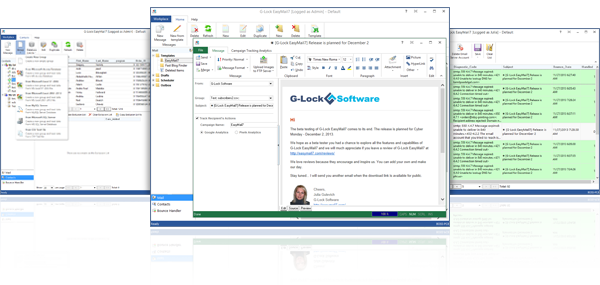
Planning a sale? Send a bulk email campaign to let your customers know about it. To increase the number of people who open your message, include the sale details in the subject line (ex: 10% off, 3 days only). This makes it easy for busy readers to tell at a glance that the email is worth opening, and they’ll thank you for it through repeat purchases.
Try our email marketing software – everything you need for mailing list management and bulk email campaigns is right here:
Full Control over Your Data
With G-Lock EasyMail7 you own your data and do not upload your recipients to any 3rd party. Only you can access your mailing lists and sending statistics. G-Lock EasyMail7 is a client-server application consisting of two components: EasyMail7 Server and EasyMail7 Client. You can install the EasyMail7 Server on your local computer (Windows Server, Amazon EC2, Windows Azure, etc.), then install the EasyMail7 Client on as many computers as you want and have access to your PRIVATE, IN-HOUSE email marketing machine from ANYWHERE.
Secure Data Storage
All program data such as email server accounts, email templates and drafts, contact groups, sent items etc. is securely stored on the EasyMail7 Server which makes it possible for many users to share contact lists and messages without export-import or work with the personal workplace. The program uses an encrypted connection between the EasyMail7 Server and Client which means your data is protected and kept safe.
You Can Access to Your Data from Anywhere
A workplace includes email server accounts, email templates and drafts, sent items, contact groups (internal and external lists), and Bounce Handler settings. Admin can create users and workplaces (the trial version is limited to 1 user and 1 workplace). Each user has the full control under his own workplace(s) allocated to him by admin. Admin can also set sending limitations for the workplace such as monthly sending limits and maximum sending slots to control the server load.
User Groups with Custom Permissions
In addition to default user groups with determined permissions (admin, user, guest), admin can create custom user groups with specific permissions and add users to custom groups. For example, admin can allow the user to send email campaigns without seeing the subscribers’ email addresses, or being able to import/export the contacts etc. to keep the subscribers’ database private.
Super Fast Import
If your recipients are stored in a csv text, MS Access, MS Excel file or in MySQL or MS SQL database, you can quickly create a new group containing the recipients from the file/database with just a few mouse clicks. The import of 1 million emails into G-Lock EasyMail7 takes just 43 seconds. No competitors’ email program can import emails so quickly. You may not take our word for it and compare yourself!
Safe and Secure Newsletter Sending
G-Lock EasyMail7 keeps your list private and secure. Our program does not expose your subscriber’s list to the list members. Each subscriber sees only his/her email address in the To field when they receive your newsletter.
DKIM Signature to Authenticate Emails
Authentication helps legitimate senders prove that their email isn’t forged, and can help receiving servers like ISPs and corporate email servers control inbound spam. There are a variety of authentication methods: SPF, SenderID, DomainKeys, and DKIM. G-Lock EasyMail7 allows you to sign your emails with a DKIM signature to authenticate them.
Inbox Delivery and Spam Score Testing
You can see how your message is treated by major Internet providers around the world and whether it is delivered to the Inbox, spam folder or blocked before reaching the recipient’s mailbox. In Gmail you will see if your message is delivered to the Primary, Social or Promotions tab. In addition to the Inbox placement, you will receive delivery duration, sender authentication testing (DKIM, SPF) and spam testing report from Postini and SpamAssassin.
No “Powered by” Link
Either free or paid version of G-Lock EasyMail7 does not stamp any advertisement information into your emails.
Multiple Sending Options
You can customize From name, From email address and Return email address and choose the suitable delivery mode including your custom SMTP server, your ISP SMTP server, or Amazon SES API or SMTP. In order to not overload one SMTP server, you can choose the mode to send via multiple SMTP servers. The program distributes emails evenly between the SMTP servers. You can send newsletters immediately or schedule them at any date or time in the future and throttle email newsletter sending to respect the SMTP server restrictions.
Integrated with Amazon SES API
Unlike the competitors’ programs, when you use the Amazon SES API G-Lock EasyMail7 automatically controls your sending rate allowed for your account to comply with Amazon SES sending policy. In addition to Amazon SES API, you can use your Amazon SES SMTP credentials in G-Lock EasyMail7. So, if you can't use your ISP SMTP server due to email sending restrictions and you don't have your own SMTP server, you can signup with Amazon SES and configure G-Lock EasyMail7 to use Amazon SES API or SMTP. Another advantage of using Amazon SES is that they care about bounce and feedback loop emails. No need to signup for feedback loops with many ISP to be alerted when someone reports your email as spam. Amazon SES will send bounce and feedback loop emails at your email address and you can process them with the Bounce Handler included into G-Lock EasyMail7.
Support of Secure SMTP Protocols SSL/TLS
Using our G-Lock EasyMail7 you can send emails from AOL, Gmail, Hotmail, Yahoo and other accounts that require secure connection.
Fast Sending Engine
G-Lock EasyMail7 allows to use numerous SMTP connections (slots) at the same time which significantly speeds up message sending.
Sending to Multiple Groups at a Time
With G-Lock EasyMail7 you can send the message to more than one contact group at the same time. The program automatically skips duplicate email addresses between groups.
Email Throttling
Some ISP have limits for sending emails in terms of messages per hour or per day. G-Lock EasyMail7 can automatically throttle email sending per hour or per day to ensure the delivery to all your subscribers without your participation.
Scheduler
G-Lock EasyMail7 allows you to schedule your email campaign for any date or time in the future. For example, you can schedule your campaigns to be sent at night when the Internet connection is faster. The Scheduler settings are very flexible. You can set G-Lock EasyMail7 to send the emails at a regular time interval: hourly, daily, weekly, or monthly. In addition, you can send emails, for example, a welcome message, automatically to only new recipients every day or week.
Automated Emails (Autoresponders)
Using autoresponders in G-Lock EasyMail7 you can send automatic email campaigns to improve your reader’s experience and convert prospects into customers. For example, you can setup an email-based course for your contacts and schedule the first message to go out immediately or in a few hours/days after the subscriber was added to your list or after any period of time has passed, the second message – in 48 hours after the first one, the third message – in 72 after the second one etc. After you set up an autoresponder, you don’t have to think about it again — G-Lock EasyMail7 makes sure your campaigns get to your subscribers right on time.
Integrated with G-Lock WPNewsman Plugin
You can use our WPNewsman newsletter plugin completely free to convert visitors into email subscribers on your WordPress site. You can put WPNewman’s opt-in form on the site sidebar using a widget or use a short code and put the subscription form inside any article, page or post on your site. Email subscribers will be collected into your WPNewsman lists in your WordPress dashboard. Then you can create a direct link to your subscribers’ lists stored in WPNewsman through API and send them email newsletters using G-Lock EasyMail7.
Integrated with G-Lock Analytics Email Tracking Service
G-Lock Analytics is a standalone real-time email tracking and campaign statistics service which price is not included into the EasyMail7 license. G-Lock Email Analytics is an extremely sophisticated email tracking service that provides real time tracking: email opens and clicks, prints and forwards, geographical location and email clients the recipients use to open the email. Unlike other email tracking services, with G-Lock Email Analytics you can brand your tracking links with your domain and make them look friendly for your recipients. The integration of EasyMail7 with G-Lock Analytics makes email tracking quick and easy. EasyMail7 automatically replaces links in your email with tracking links during the sending process. And the tracking links will include the encrypted recipient's email address that allows you to see the email addresses of the recipients who clicked on the links in your email in your account on G-Lock Analytics.
Integrated with Google Analytics and Piwik Analytics
You will get detailed reports on your website’s visitors, conversions and sales. With Google Analytics’ analysis features you can find out how many customers you’re attracting, how much you’re selling and how users are engaging with your site. Piwik Analytics lets you track how efficient various marketing campaigns are in bringing visitors to your website (visits, page views, etc.), how well these visitors convert and how much revenue they generate.
Integrated with CRM Databases
G-Lock EasyMail7 can connect to any ODBC compatible database on the network like MS Excel, MS Access, MySQL and send the message to the contacts by taking their emails from the database. No need to export-import the recipients into G-Lock EasyMail7 address book.
Integration with Hundreds Webapps through Zapier
Zapier integrates EasyMail7 with hundreds of best-in-breed web services. With Zapier you can easily connect EasyMail7 to other applications you use like Gmail, Google Docs, Salesforce, Shopify, Highrise, PayPal, and whole lot more. Thus, you can automatically add any “new contact” in Salesforce or any new customer from a PayPal sale to the EasyMail7 contact group. And, if you are using contact form apps such as 123ContactForm, FluidSurveys, Formdesk, FormForAll, Formitize, Formstack, iFormBuilder, JotForm, Jumplead, SurveyGizmo, SurveyMonkey, Unbounce, Wufoo and others, you can add contacts coming through those forms to the EasyMail7 groups. In addition, you can subscribe and unsubscribe contacts in the EasyMail7 groups through Zapier.
Customizable Unsubscribe Link
G-Lock EasyMail7 provides you a ready to use unsubscribe link that you can merge into the message. You can customize the unsubscribe link as you like and have different unsubscribe links for different groups.
Bulk Subscribe/Unsubscribe Capability
You can subscribe and unsubscribe recipients in bulk in one or all groups. This is very convenient if you process bounced emails after each email campaign.
Automated Bounce, Unsubscribe, and Complaint Processing
G-Lock EasyMail7 includes the powerful Bounce Handler that you can use to process bounced emails after your email campaign is complete. The Bounce Handler can automatically unsubscribe or delete bounce email addresses from internal groups. In addition, it can automatically update external databases and delete bounce emails from external databases.
Exclusion Lists (Blocklists) prevent from sending to a blocked email addresses
You can have the unique exclusion list for each group and database. You can copy exclusion lists between the groups. The program will not send messages to the contacts that are on the exclusion lists. In addition, there is the Global Exclusion List that works for all groups at the same time.
Global Workplace Rules
In the Workplace Rules you can enter email addresses/domains which you do not want to load into the program and/or to which you do not want to send messages. The Workplace Rules are applicable to all groups and databases within the current workplace. For example, if you do not want to load email addresses starting from abuse@, just go to the Workplace Settings and add the mask only once to exclude all abuse@ (and optionally other role email addresses) emails from all mailings.
Drag-and-Drop Message Editor
You do not need to hire an email designer to create a nice HTML email for you, or spend hours coding the right HTML yourself in a 3rd party editor. G-Lock EasyMail7 has the built in drag-and-drop message editor that does things very quickly. To create a nice email message, you can use the default basic email template and customize it using particular blocks: buttons, dividers, featured, images, text, text-photo and footer blocks. Simply drag and drop the blocks into the message in the edit pane and you’ll come with a beautiful responsive email in just a few minutes.
Built-In FTP Client
You can upload pictures used in your message to your web server directly from G-Lock EasyMail7. The program will then automatically replace local paths of the images in the message with the paths on the web. This helps you decrease your message size, increase the sending speed and ensure the pictures will be displayed correctly within the message. Plus, you save your money if you send using a 3rd party service for example Amazon SES where they charge you for data transfer.
Import of Email Messages
If you created an email outside of G-Lock EasyMail7, you can load it into the program either from a file or web page. For example, you can download any responsive email template, load it into G-Lock EasyMail7 and save it as template in G-Lock EasyMail7 for further usage.
Built-in Store of Professionally Designed HTML Email Templates
G-Lock EasyMail7 is provided with a rich store of professionally designed HTML email templates. You can download the templates from the store and use them for your email newsletters.
Unique “Image Wizard” for Picture Re-size, Crop and Compression
G-Lock EasyMail7 supports the regular “Insert Picture” option and the unique “Image Wizard” option. The “Image Wizard” allows you to re-size, crop and compress the picture, then insert it into the template or message. This helps you decrease the size of your message, save bandwidth and speed up sending.
Dynamic Fields for Email Personalization
Using Dynamic Fields, you can create a personalized email for each recipient which increases your open rate and boosts your sales. In addition to the contact information available in the group, you can quickly merge the unsubscribe link and links to your social profiles into the message.
Sending of Different Email Attachments to Different Recipients
The mail merge capability allows you to create an email and automatically attach different files to messages sent to different recipients by just using a variable in the file path. This means you can easily mail merge email with the right attachment and send different attachments to different recipients.
Message Preview
To make sure your message will display right, you can preview it before sending to the group.
Support of Scripts
In G-Lock EasyMail7 you can use the script to perform various operations with the field values during email sending, for example, you can change the first lower case letter in the subscriber’s first name into the upper case letter, replace a missing subscriber’s name with any word for example “Subscriber”, add http:// at the beginning of URLs, generate random numbers and use them in the email etc. All the fields in the contact group are available for the use in the script.
Easy Way to Backup and Restore Data
Using the backup and restore options in G-Lock EasyMail7 you can protect important data and easily move your EasyMail7 Server to a new location, or restore your data in case of the system failure. The backup is made online which means the EasyMail7 Server does not stop and the sending campaign is not interrupted for the time when the backup is being created.
Simple Web Client
We have RESTful API for developers. Using RESTful API you can integrate G-Lock EasyMail7 into your business process. For example, we have a basic web client developed with the use of RESTful API. This means that you can run email campaigns from any device via any browser using G-Lock EasyMail7 web client.
Compliant with Anti-Spam Laws
G-Lock EasyMail7 creates and sends the emails compliant to anti-spam laws. Plus, G-Lock EasyMail7 allows you easily add an unsubscribe link into your emails that is required by CAN-SPAM. The use of G-Lock EasyMail7 will not cause any troubles with ISP if you have a permission based email list. We highly recommend that you collect your list using a confirmed opt-in method and do not buy or harvest emails on the Internet.
Download G-Lock EasyMail7 Today and discover how G-Lock’s email marketing solution can help you grow and succeed online